
Guide to quickly sending a document for signature
Step-by-step guide: how to send any document for signature to a counterparty or employee in a couple of minutes — without registering the recipient.
Open the "Quick send" section
In the left menu, click "+ Create". In the window that opens, select "Quick send" on the left — this is a ready-made route for sending any document for signature to a counterparty or employee.
Upload the document file
Drag the file into the upload area or click "Choose files". Supported formats: .pdf, .docx, .xls, .xlsx, .zip, .rar — up to 15 MB.
Select signers
Mark the employees of your organization who need to sign the document. Start typing a name in the search — the system will suggest the right person from the list.
Specify the delivery method
Choose a channel — Email, WhatsApp or SMS, enter the recipient's phone or address and their name. You can add several recipients at once. Click "Save and send".
The signer receives and signs the document
The recipient follows the link from the email or message, sees the document and an "Action required" panel with "Sign with QR" and "Sign with e-signature" buttons. As soon as the document is signed, the status updates immediately in your account.
No. L8-NDA-2003/09-01
Almaty, September 15, 2026
Luna Eight Limited Liability Partnership…
What the signer sees on their phone
The signer doesn't need to download or register anything. Here's what they'll see on their phone screen — just three simple steps:
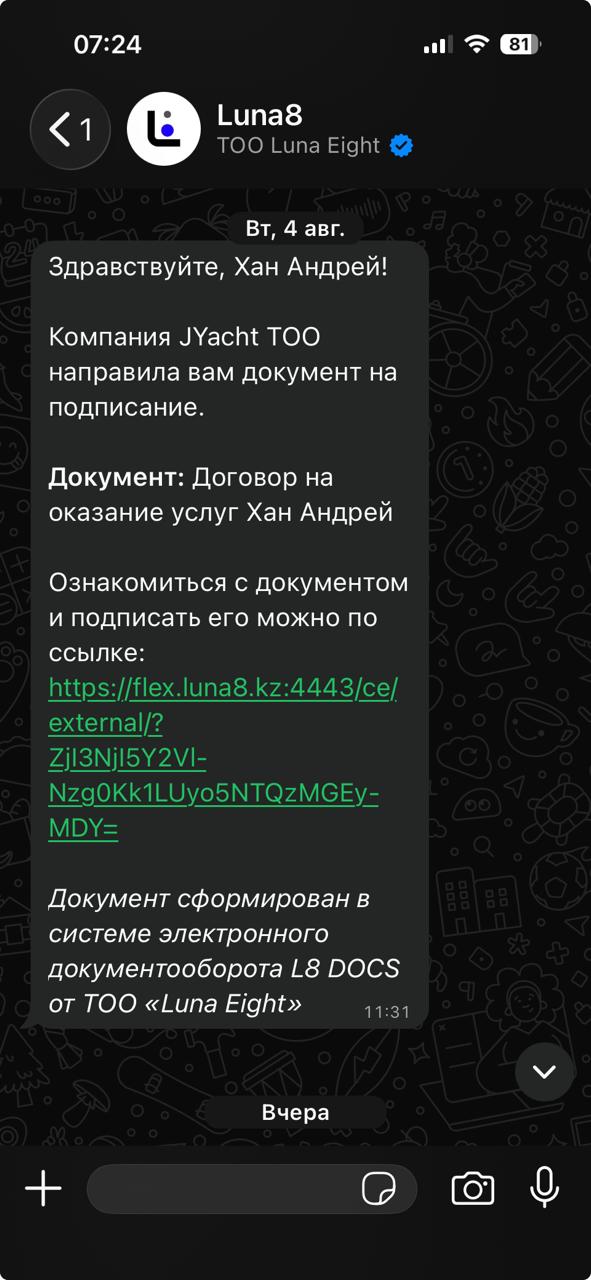
A message with a link arrives
A message from Luna8 arrives in WhatsApp: which company sent the document and what needs to be signed. At the end — a blue link. It needs to be tapped.
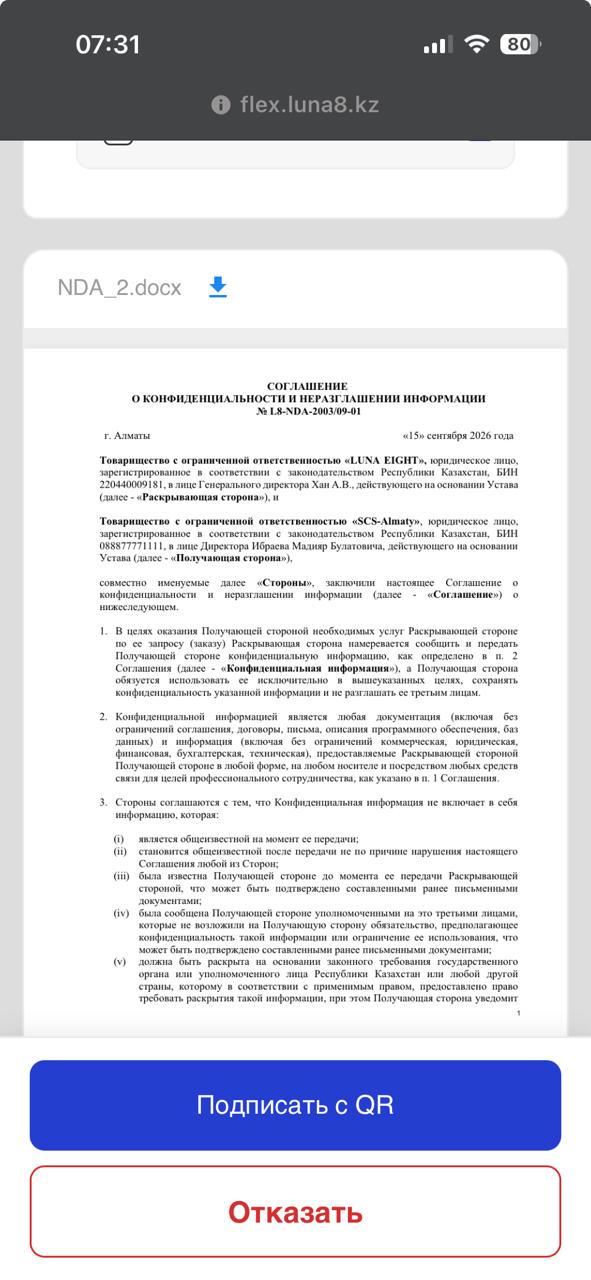
The document itself opens
The link opens the document text right in the phone's browser — no app installation needed. At the bottom — a blue "Sign with QR" button.
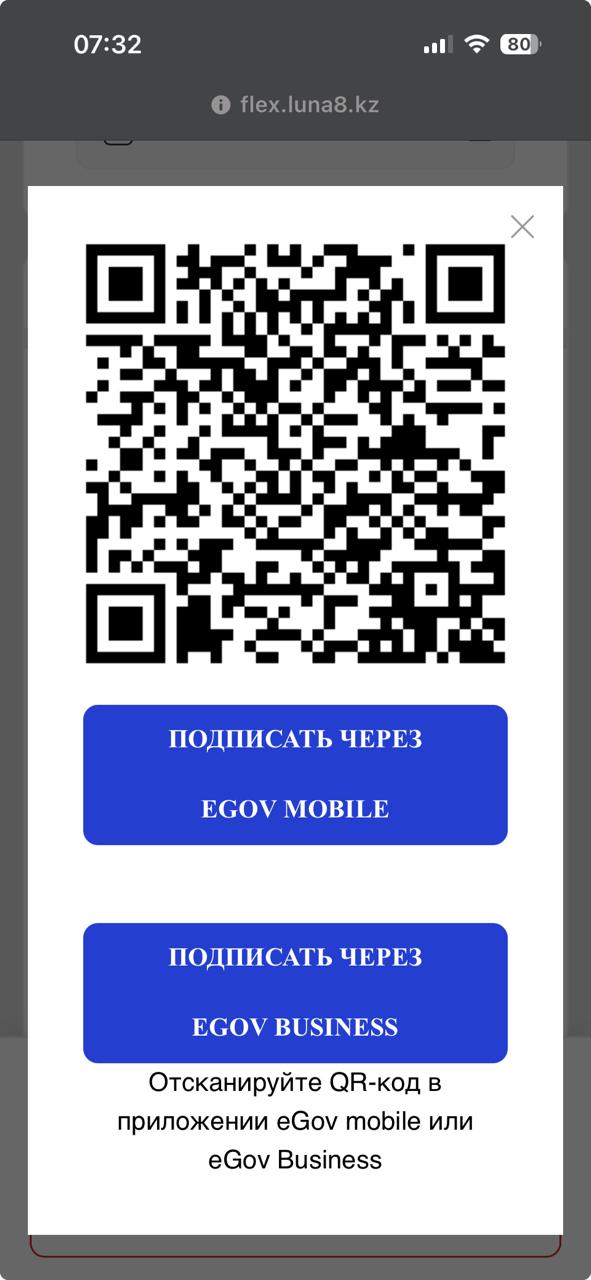
Sign with e-signature via EGOV
A "sign via EGOV MOBILE or EGOV BUSINESS" button appears on the screen. Open the eGov mobile or eGov Business app on the phone and tap the sign button. The document is signed instantly, with no paper and no trip to the office.
Want to send your first document for signature?
Show in my documents →Useful links
Registration guide
A step-by-step guide: how to register and get full access to the Business plan.
Learn more→L8 DOCS functionality overview
All platform capabilities: document management, e-HR, tasks and integrations — in detail on one page.
Learn more→Digital admissions office
Online intake of applicant submissions, e-signed contracts and bulk signing.
Learn more→